
Tips for Using A GoPro on a Whitewater Rafting Trip
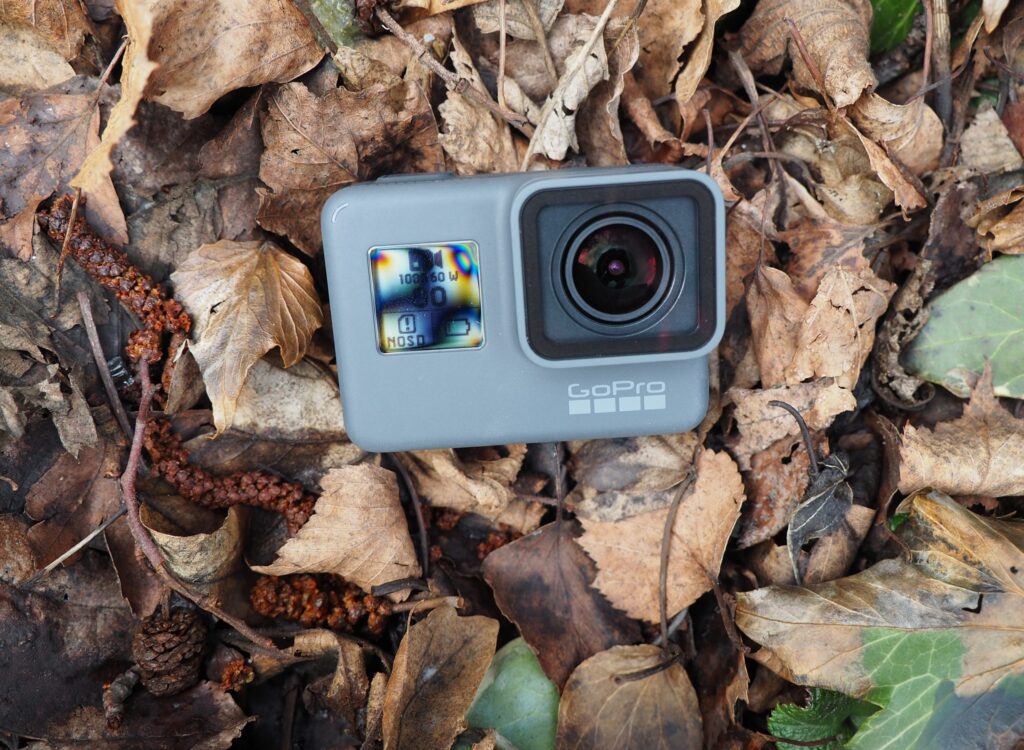
Adventure activities like whitewater rafting are perfect for GoPro footage. Between crashing rapids, scenic river views, and nonstop action from your crew, there are endless opportunities for unforgettable photos and videos.
Whether you’re tackling your first rafting trip or trying to capture smoother, more cinematic footage, a little preparation goes a long way. Here’s how to get the best GoPro footage on your next river adventure.
Choose the Right Mount for Your Rafting Style
Before your trip, ask an important question: Will you be paddling or riding in a rowed/motorized raft?
If your hands are free, bringing an extension (“selfie”) stick makes sense. It allows you to capture wider angles, dramatic perspectives, and group shots that are difficult to get with a helmet mount alone.
If you’ll be paddling most of the day, changing gear on the fly can be difficult or impossible. In that case, a helmet mount is usually the best option. Chest mounts tend to feel bulky when combined with a life jacket and rafting gear.
If you’re on a commercial rafting trip, ask whether the outfitter provides helmets with GoPro-compatible mounts. Many rafting outfitters now offer them as part of the trip equipment.
CTA: Book Your Whitewater Rafting Trip
Best GoPro Settings for Whitewater Rafting
Fast-moving water, constant motion, and changing light conditions make rafting one of the most demanding environments for an action camera. These settings will help you capture smoother, more dramatic footage.
Resolution and Frame Rate
- 4K at 60fps: Best overall quality and smooth motion
- 1080p at 120fps: Ideal for dramatic slow-motion clips of splashes and rapids
- If storage space is limited, 1080p still looks excellent in social media and highlight videos
Field of View (FOV)
Use:
- SuperView or
- Wide
These settings capture more of the raft, your crew, and the surrounding scenery without needing to perfectly aim the camera.
Turn On Stabilization
Make sure HyperSmooth (or your GoPro’s built-in stabilization mode) is enabled. Whitewater rafting creates constant shaking and impact, and stabilization dramatically improves watchability.
Use Wind-Noise Reduction
Rafting is loud. Wind, rushing water, and paddles hitting the river can overwhelm audio.
Turn on:
- Wind-Noise Reduction
This won’t create perfect audio, especially inside a waterproof housing, but it helps reduce harsh wind distortion.
Where Should You Sit in the Raft?
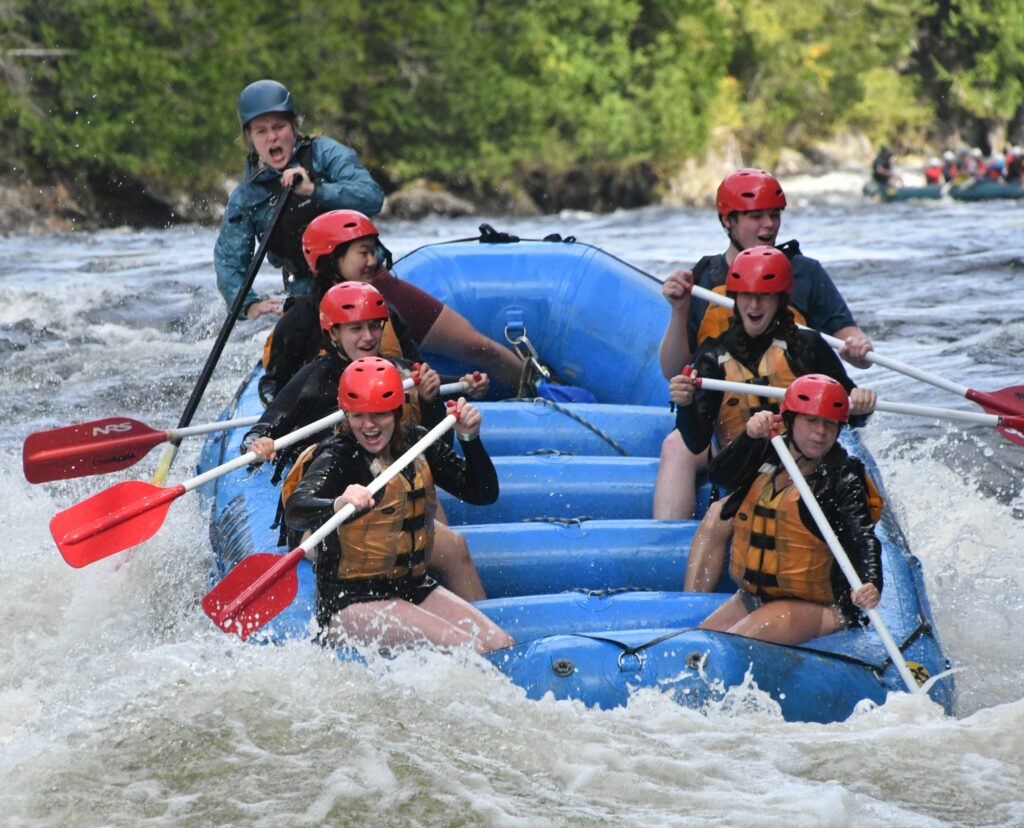
The best answer is to move around when possible.
Front Seats
The front row delivers the most intense footage:
- Bow splashes
- Direct hits through rapids
- Massive waves crashing over the raft
You’ll often get completely soaked, which usually makes for the best video.
Back Seats
Sitting toward the rear gives you:
- A slightly higher camera angle
- Better views of the rapids ahead
- More footage of your friends and family reacting to the action
The rear also works well for panoramic scenery shots and 180-degree turns.
Suggested Visual Additions
To improve engagement and time-on-page, consider embedding:
- A short clip comparing front-row vs. back-row footage
- A helmet POV example
- Side-by-side screenshots showing different camera angles
Protect Your GoPro from Getting Lost
One hard rapid can knock loose an unsecured camera. Use a Floaty. Attach a bright-colored GoPro Floaty or a floating backdoor accessory. If the camera detaches, it will float instead of disappearing downstream.
Add a Safety Tether
Use adhesive tether straps as a backup system. If the main mount fails during a rough rapid, the tether keeps the camera attached to your helmet or raft. This small accessory can save hundreds of dollars.
Solving the Water Droplet Problem
Water droplets on the lens are one of the biggest frustrations in rafting footage.
A few tricks help reduce the issue:
- Apply a hydrophobic coating
- Products designed for action camera lenses help water bead off instead of sticking to the lens. Many paddlers use GoPro anti-water-drop solutions and Plastic-safe hydrophobic coatings
Quick River Fixes
If the lens gets covered:
- Blow sharply across the lens
- Shake excess water off
- Carefully swipe a finger across the lens if needed
It may not be perfect, but it’s often better than filming blurry footage for the next rapid.
Battery and SD Card Tips
There are no charging stations on the river, so preparation matters.
Battery Recommendations
- Fully charge all batteries before the trip
- Bring at least 1–2 spare batteries
- Store extras in a dry, waterproof case or pouch
SD Card Recommendations
Use:
- At least a 64GB microSD card
- Preferably 128GB for 4K recording
Also, make sure the card is fast enough:
- V30
- UHS-I U3
Slow cards can cause recording errors or crashes during high-resolution filming.
Work With Your Guide for Better Footage
Experienced rafting guides know:
- Where the biggest rapids are
- When scenic sections are coming up
- Which moments are worth filming
Guides can help you:
- Save battery life during calm sections
- Prepare for major drops
- Position your camera safely
Many guides are also familiar with GoPro mounts and can help ensure your setup stays secure.
When Should You Record?
Avoid filming continuously for the entire trip unless you have unlimited batteries and storage.
Instead:
- Film major rapids
- Capture scenic stretches
- Record reactions from your crew
- Turn the camera off during long calm sections
This saves both battery life and editing time later.
Quick Editing and Sharing Tips
Most rafters come home with:
- 2 hours of shaky footage
- 5 minutes of amazing action
A little planning makes editing much easier.
Use Highlight Tagging
After a big rapid or memorable moment:
- Press the GoPro highlight button, or
- Use voice commands if enabled
This creates markers in your footage, making the best clips easier to find later.
Use the GoPro Quik App
The Quik app can automatically:
- Find exciting moments
- Build highlight reels
- Add music and transitions
- Create social-ready edits quickly
It’s one of the fastest ways to turn raw rafting footage into something worth sharing.
GoPro Packing Checklist for a Rafting Trip
Before leaving for the river, make sure you pack:
- GoPro camera
- Helmet mount
- Selfie stick or extension pole
- Floaty attachment
- Adhesive safety tether
- 2+ fully charged batteries
- Waterproof battery case
- 64GB or 128GB microSD card
- V30 / U3-rated SD card
- Small microfiber cloth
- Dry bag
Bring your GoPro on your rafting trip, you’ll capture incredible footage, memorable reactions, and stunning river scenery that’s impossible to recreate later.
Before your trip, ask a few key questions:
- Will my hands be free?
- Can I mount my camera on the provided helmet?
- Will there be a guide who can help identify the best filming moments?
With the right settings, mounts, and preparation, your one-day whitewater rafting adventure can turn into an unforgettable highlight reel. Book your whitewater rafting adventure today!